
You type your business name into Google between appointments. The first screen isn't your homepage. A two-year-old complaint sits on page one, the hours listing still shows last year's holiday closure, and a short AI answer repeats both.
That screen is where a new patient, a homeowner, or a buyer decides whether to call. SEO reputation management is the work of shaping what search engines and AI answers show for your name, so current facts stay visible and misleading material loses the top spots.
The useful move isn't to publish more pages on instinct. Name which problem you have, accuracy, visibility, or volume, because each one needs a different fix.
Table Of Contents
Table of Contents
- What SEO Reputation Management Covers and Why It Matters
- The Layers That Decide What Searchers See
- Auditing AI Summaries for Accuracy
- Where EmbedMyReviews Fits in a Local Reputation Workflow
- Measuring Branded Search Health Without Fooling Yourself
- Misconceptions That Waste Reputation Budgets
- Handling Harmful Results Without Overspending
- Run the Core Tactics and Your First Audit
What SEO Reputation Management Covers and Why It Matters
Say you own a dental clinic. You search the practice name on your phone and three things appear before the website: that old complaint, the outdated hours, and an AI summary that treats both as current. Calls don't fail because the site is invisible. They fail because the first impression is wrong.

SEO reputation management means influencing the branded results page so accurate, current information ranks and stale or misleading material loses prominence. Review profiles, star ratings, review volume, recency, and your replies are part of what people see around a name search. They sit next to your site, not instead of it.
The stakes show up before anyone books. BrightLocal's 2024 Local Consumer Review Survey reported that 75% of consumers always or regularly read online reviews when researching local businesses, and that 50% trust online reviews as much as personal recommendations from friends and family. A thin or unanswered review profile can cost the call even when the map listing is fine.
Two neighbours that aren't the same job
Online reputation management covers social posts, press, and forums as well as search. Standard SEO mostly targets non-branded queries such as "dentist near me." Branded search is narrower. Someone already has your name. They're checking whether to trust it.
Three problems get mixed up, and each needs its own fix:
- Accuracy: a fact is wrong, old, or invented by a summary.
- Visibility: the right page exists but doesn't hold a top spot.
- Volume: you don't have enough recent, genuine reviews or owned pages to fill the results people scan.
Reviews are a trust layer that helps turn visibility into calls and bookings. They don't replace a fast site or clear service pages.
The Layers That Decide What Searchers See
Five layers decide a branded results page. You don't control them equally, so the first question is which row holds the damaging result.
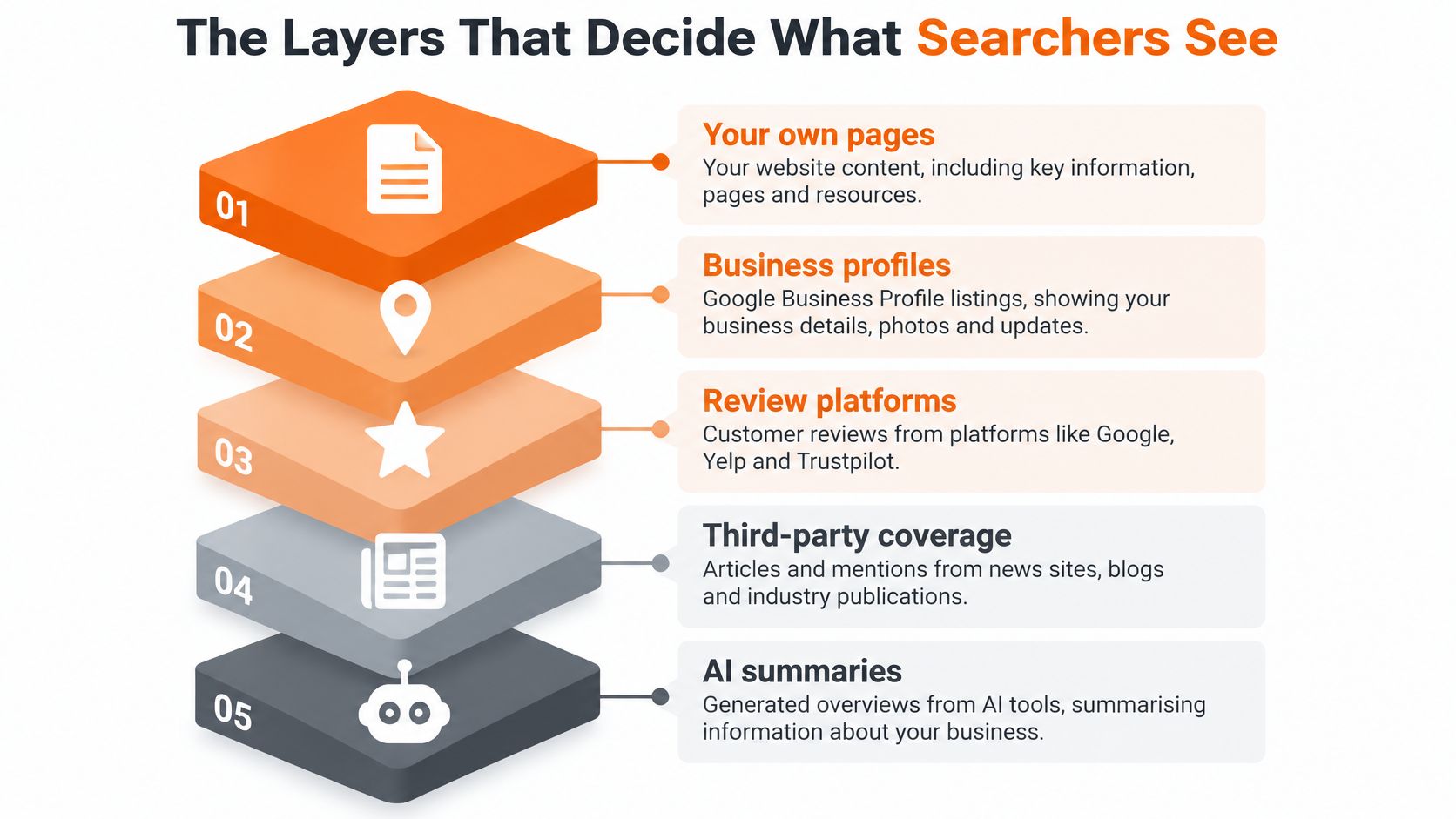
| Layer | What Usually Appears | How Much You Control |
|---|---|---|
| Your own website | Brand, service and about pages | Full |
| Business profiles | Map listings, hours, categories | High |
| Review platforms | Star ratings and review text | Indirect, through requests and replies |
| Third-party coverage | News, directories, partner sites | Low, earned only |
| AI summaries | Generated answers citing sources | Indirect, through evidence |
Owned pages and profiles
Your site is the only layer you can rewrite today. Service pages, an about page, and a corrections note are yours. Edit them and the change is live.
Business profiles, especially a Google Business Profile, respond to accurate data and steady review activity. You can fix hours, categories, and photos. You can't dictate the star average. A practical review workflow, including tools for review management software, belongs here because requests and replies are the levers you have.
Evidence you don't own
Review text, news mentions, and directories only move when other people publish or when a platform accepts a correction. AI summaries sit further out. They quote sources. They don't take orders from your homepage.
Google's Search Quality Evaluator Guidelines treat reputation research as evidence gathering. Evaluators look at what real users and topical experts say, including reviews, references, expert recommendations, news, and other independent commentary. A consistent external record matters as much as the site, particularly when the topic is high stakes.
Google states that evaluator ratings do not directly determine rankings. They are used to judge whether search systems produce high-quality results.
Don't chase a trust score. Measure what you can see: sentiment on branded queries, whether inaccurate pages lose prominence, qualified organic clicks, how often a review request turns into a posted review, and whether authoritative third-party results show up.
Start with the layer that holds the most damaging result. A wrong hours line on your profile is an edit. The same wrong hours inside an AI answer is an evidence problem, and publishing another blog post won't touch it.
Auditing AI Summaries for Accuracy
A brand can rank first and still be described incorrectly above the links. Sort every AI claim before you write a new page.
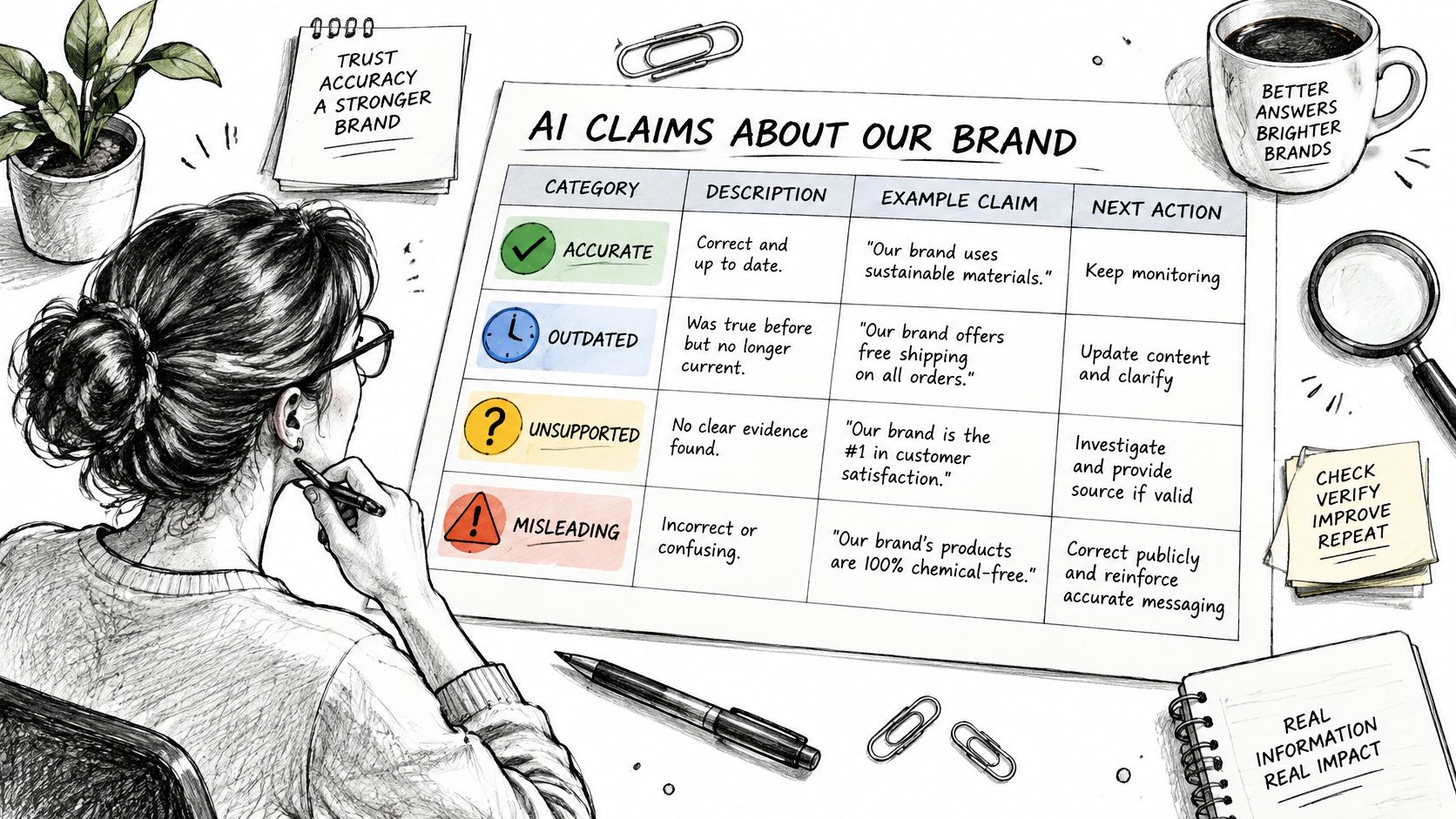
| Finding | Classification | Next Action |
|---|---|---|
| Current detail that matches your records | Accurate | Keep it and confirm the cited page is your own source |
| Old hours, price or leadership | Outdated | Update the owned page and every profile, then recheck |
| Claim with no traceable source | Unsupported | Publish the primary record on your site and request a correction |
| Claim that misstates a record or harms trust | Misleading | Document the evidence and report it through the platform's feedback route |
Why the summary can outrun the ranking
Digiday's roundup of AI publishing figures noted that Google AI Overviews appeared for more than 13% of tracked queries in March 2025, up from 6.49% in January, and that an Ahrefs analysis found their presence correlated with a 34.5% lower click-through rate for the top-ranking page. People can form a view from the summary and never open your site.
The monthly audit
Once a month, run your brand name and a few natural questions ("is [brand] open Sundays," "who owns [brand]") through Google's AI summaries and the major chatbots. For a repeatable log, compare what AI search visibility tracking tools record against a manual check. Write down each claim and the cited source, then match it to your site, profiles, and any regulatory filing.
Publishing more positive pages is often the wrong first move. A summary copies what it can cite. Authoritative first-party facts, matching entity details, and independent corroboration beat volume.
Work in this order:
- Correct the source page the summary is likely reading.
- Make the name, address, hours, and leadership identical on every profile.
- Publish a dated clarification when a claim is wrong, and keep the primary document easy to cite.
A wrong claim is not always a ranking problem. An attribution error needs a corrected source. A negative page that people actually click needs a different response.
Regulated and local businesses feel this first. A wrong summary can steer a patient or a client before they ever reach the booking page.
Where EmbedMyReviews Fits in a Local Reputation Workflow
Review collection, public replies, Google Business Profile posts, and local rank checks usually live in separate logins. Agencies and multi-location operators lose the thread, then can't show a client what changed.
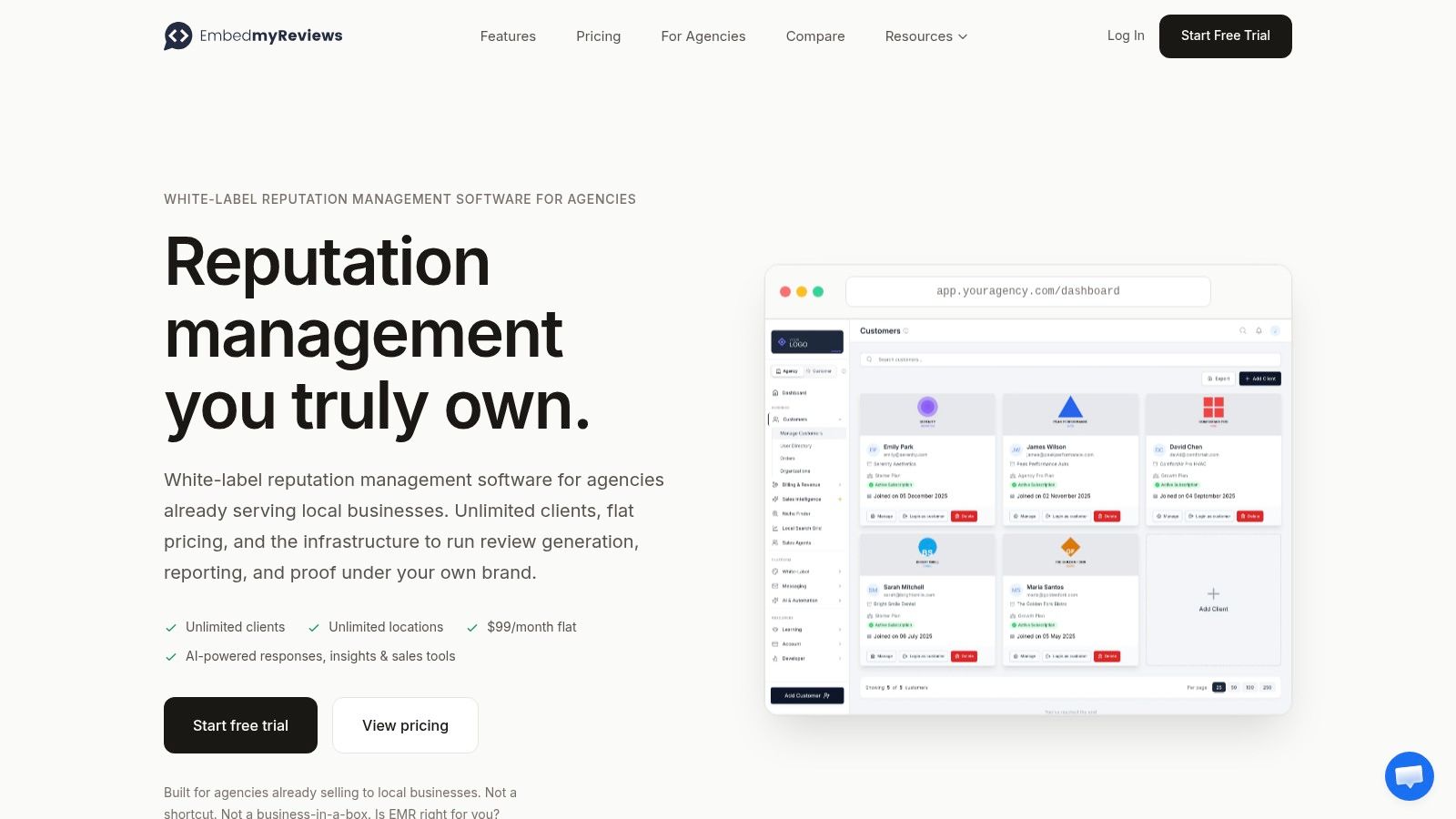
EmbedMyReviews is a white-label platform built for agencies, consultants, franchises, and operators who run SEO reputation management for local businesses. It sits on the agency's own domain and brand, so the client sees your service, not a third-party logo. Review requests, response queues, profile posts, rank grids, and reporting share one workspace.
What it actually covers
- Requests and routing: campaigns by email, SMS, and WhatsApp, multi-step funnels, private feedback for unhappy customers, and QR or NFC tracking.
- Replies: AI drafts from the agency's own model key, with tone templates and a human approval step before anything posts.
- Profile activity: Google Business Profile posts a client can approve by email, plus media and location tags.
- Proof and sales: website widgets, scheduled reports, geo-grid rank scans, and audit-style reports that compare a prospect with competitors.
Flat pricing that doesn't climb per location or per seat matters once a franchise adds shops. Bring-your-own keys for messaging and AI keep provider choice with the agency. Role permissions and location isolation stop one client's reviews from leaking into another's view.
When it's the right fit
Choose it when the agency should own billing, data, and the client experience, and when reviews, posts, and local ranks are currently three tools. Skip it if you only need a single-location inbox and already reply by hand. It doesn't replace a correction on a news site or a legal removal. It makes the review and profile layer measurable so you can see response coverage before you spend on new content.
Measuring Branded Search Health Without Fooling Yourself
A drop in branded visits proves people turned against you. Often it doesn't. The results page can stop offering a click while demand for your name stays flat.
| Metric | What It Shows | Where to Find It |
|---|---|---|
| Branded query impressions | Demand to see your name | Search Console, filtered to brand queries |
| Branded clicks and click-through rate | Whether searchers choose your listing | Search Console, same filter |
| Review volume and rating trend | Trust signal on each profile | Each review platform's export |
| Response rate and response time | How you handle criticism | Review dashboard or a monthly manual count |
| Direct and brand-name traffic | Visits that skip generic searches | Analytics, direct and branded sources |
| Owned share of page-one results | How much of the results page you hold | Monthly logged search, same queries |
Read the row, not a single cell
Stable impressions with falling clicks usually mean the page changed, not the mood. AI summaries, map packs, and extra features can absorb the click. Improving stars in the same month doesn't cancel that.
Mashable's report on AI Overviews and website traffic found that users clicked an external result in only 8% of searches containing an AI Overview, compared with 15% when no overview appeared, and that only 1% clicked a cited link inside the summary. The same reporting described a median 10% year-over-year decline in Google referral traffic during an eight-week 2025 period, with non-news brands declining 14%. A quieter site can be a feature change.
A diagnosis order you can run this week
- Split branded queries by intent, such as the bare name, "reviews," and "hours."
- Check whether impressions held while clicks fell.
- In that same window, note which SERP features and AI answers appeared.
- Only then read rating trends, conversions, and direct traffic.
Annotate Google feature changes on the same chart as the branded series. Hold removal budgets and "positive page" campaigns until a row points at harmful information, not at fewer available clicks. Save this month's six metrics as the baseline before you change anything.
Misconceptions That Waste Reputation Budgets
- More positive pages always bury a bad result. Extra pages help only when one of them answers the query better than the page you dislike. A pile of thin profiles rarely beats a specific, accurate article.
- Deleting a page deletes its influence. Caches, quotes, and summaries can keep the claim alive. Correct the source and the pages that repeat it.
- E-E-A-T is a score you can raise like a rank. Quality guidelines use experience, expertise, authoritativeness, and trust to judge whether results look sound. Evaluator ratings don't set your position.
- Reviews fix a technical failure. A slow site, broken markup, or a profile with the wrong category still fails to convert, no matter how many stars you collect.
- Fewer branded visits means bad sentiment. Zero-click results can produce the same chart while reviews improve.
- Bought reviews or rented placements are a shortcut. They break platform rules and can trigger penalties that cost more than the original complaint.
Diagnose the failing layer before you pick a tactic. Accuracy, visibility, and volume don't share a receipt.
Handling Harmful Results Without Overspending
Sort each harmful result by cause. The owner of the fix changes with the cause.
- Errors on your pages or profiles. Correct them at the source and date the change. Listings and summaries copy what they find.
- False or defamatory third-party content. Send the publisher your primary records and ask for a correction. If the material is defamatory or exposes private data, use a lawyer and the platform's legal route. Don't try to outrank a legal problem. Earned mentions still belong in the plan when the gap is real coverage, which is the point of digital PR done for the right reason.
- Policy-violating reviews. Fake, conflicting, or off-topic reviews go through the platform's flag path, with evidence attached.
- Accurate but unflattering content. Reply in public, fix the service issue, and let newer evidence build. Removal is rarely realistic.
- Negative pages that rank and almost nobody clicks. Finish the click diagnosis before you buy content. Publish an owned page only when it answers the branded query better than the result you want to displace.
The expensive slip is paying to bury a page that is already losing clicks to an AI summary. Keep a log of each request, date, and response so you can show the trail later.
Run the Core Tactics and Your First Audit
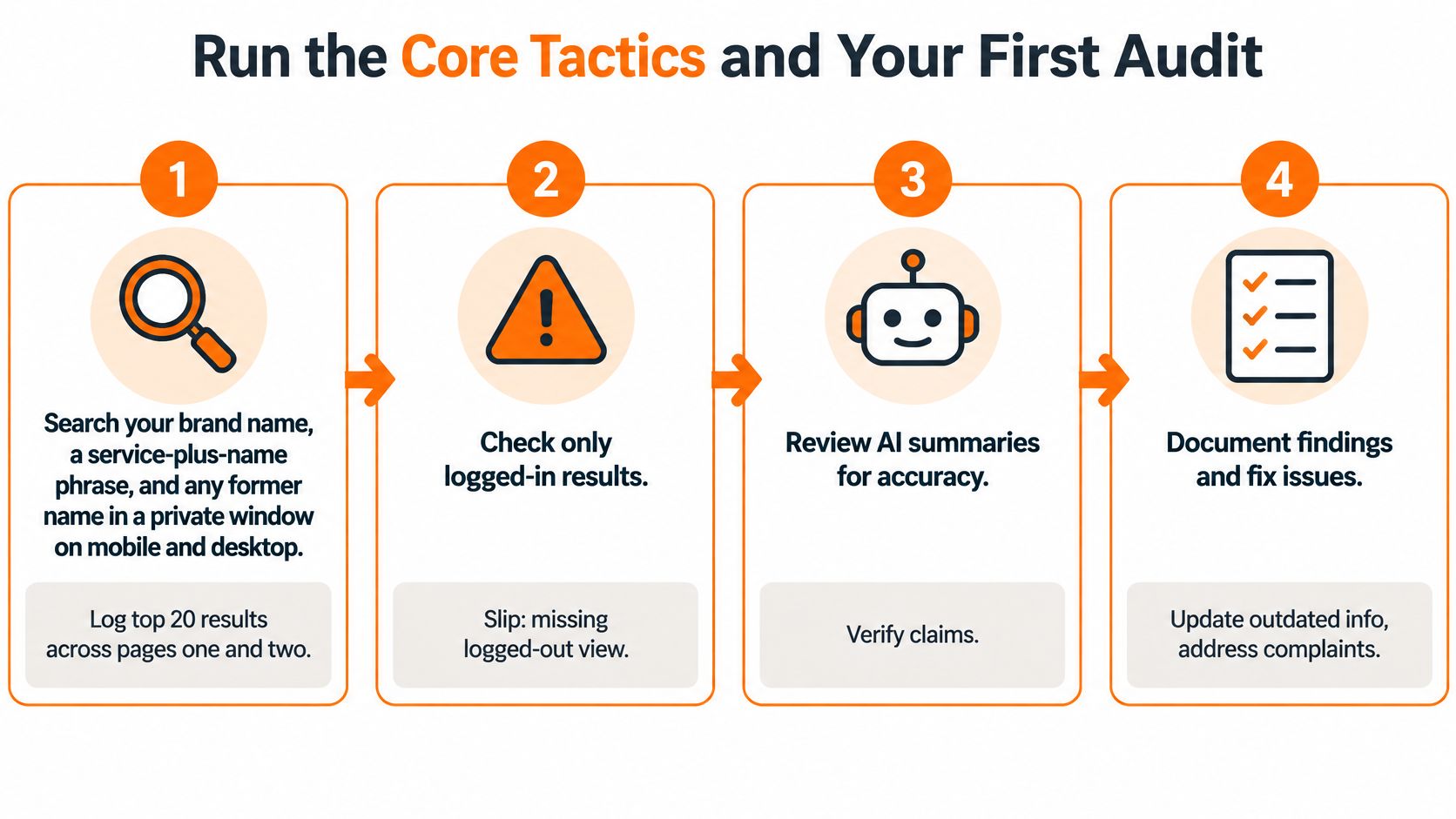
Search like a stranger
Open a private window. Search the brand name, a service-plus-name phrase, and any former name, on mobile and on desktop. Log the top 20 results across pages one and two. Checking only a logged-in account hides what a new customer sees.
Sort every result into its layer and mark it accurate, outdated, unsupported, or misleading. Give each layer one owner and one fix date. A review problem isn't a blog problem.
Set the six branded metrics before you change a page. Otherwise you can't tell a fix from a feature change.
This short walkthrough shows how a branded results page is read before any content gets commissioned.

Fix sources, then ask for proof
Correct hours, addresses, service names, and leadership on the site and every profile first. Summaries and listings copy those fields.
Publish first-party proof next. An about page that names leaders, author bios with real credentials, and a public corrections policy give both people and models something solid to cite.
Ask every satisfied customer for a review, and reply to each one with a specific detail. Identical template replies read as ignored. Our review work collects feedback through automated emails, answers criticism in a professional voice, and displays testimonials, and we tune the Google Business Profile for map visibility through review generation, category choice, and local content signals.
Earn coverage, don't rent it
Pitch only where a site has a real editorial reason to mention you. Google's spam policies on site reputation abuse target third-party content placed on a strong host mainly to borrow that host's ranking signals, when the material is independent of the site's purpose, lightly overseen, and meant to rank better than it could alone. A placement can look authoritative and still expose the host to a manual action.
For every placement, write down editorial ownership, topical fit, review standards, author expertise, disclosure, and why a reader benefits. Skip scaled templates and unrelated keywords. Third-party "authority" scores aren't Google ranking signals. Earned coverage and rented authority are different things.
Spend after the audit
- Low response coverage: fund the review workflow.
- Errors on owned pages: fund source corrections.
- A real third-party gap: fund earned coverage, not a template network.
Repeat from the private-window search each month and log every change. Outside help makes sense when several layers are failing and nobody in-house can own the fixes. XSquareSEO is one option for that handoff.
Pull last month's branded impressions and clicks in Search Console this week, run your name in a private window, and mark each top result as accurate, outdated, unsupported, or misleading. If the failing layer is reviews and map visibility rather than a legal or press issue, talk with XSquareSEO about a local program that pairs Google Business Profile work with a real review process. Start with the diagnosis, then spend.