
scrolling a page of blue links, clicking through multiple tabs, and piecing together information yourself. That era is giving way to something fundamentally different – and Google AI Mode is the clearest sign of that shift.
Officially announced on March 5, 2025, and rolled out broadly across the United States by May 2025, Google AI Mode transforms Google Search from a directory into an intelligent research partner. Instead of presenting a list of results, it understands your question, breaks it into subtopics, searches the web in parallel, and delivers a synthesized, conversational answer – complete with source citations and an invitation to go deeper.
By the end of 2025, Google had expanded AI Mode to more than 180 countries. In early 2026, it was upgraded with Gemini 3 Pro integration, generative layout tools, and deep personal intelligence features. This article is your definitive guide: what Google AI Mode is, how it works, how to set it up, what it does well, where it falls short, and where it is headed next.
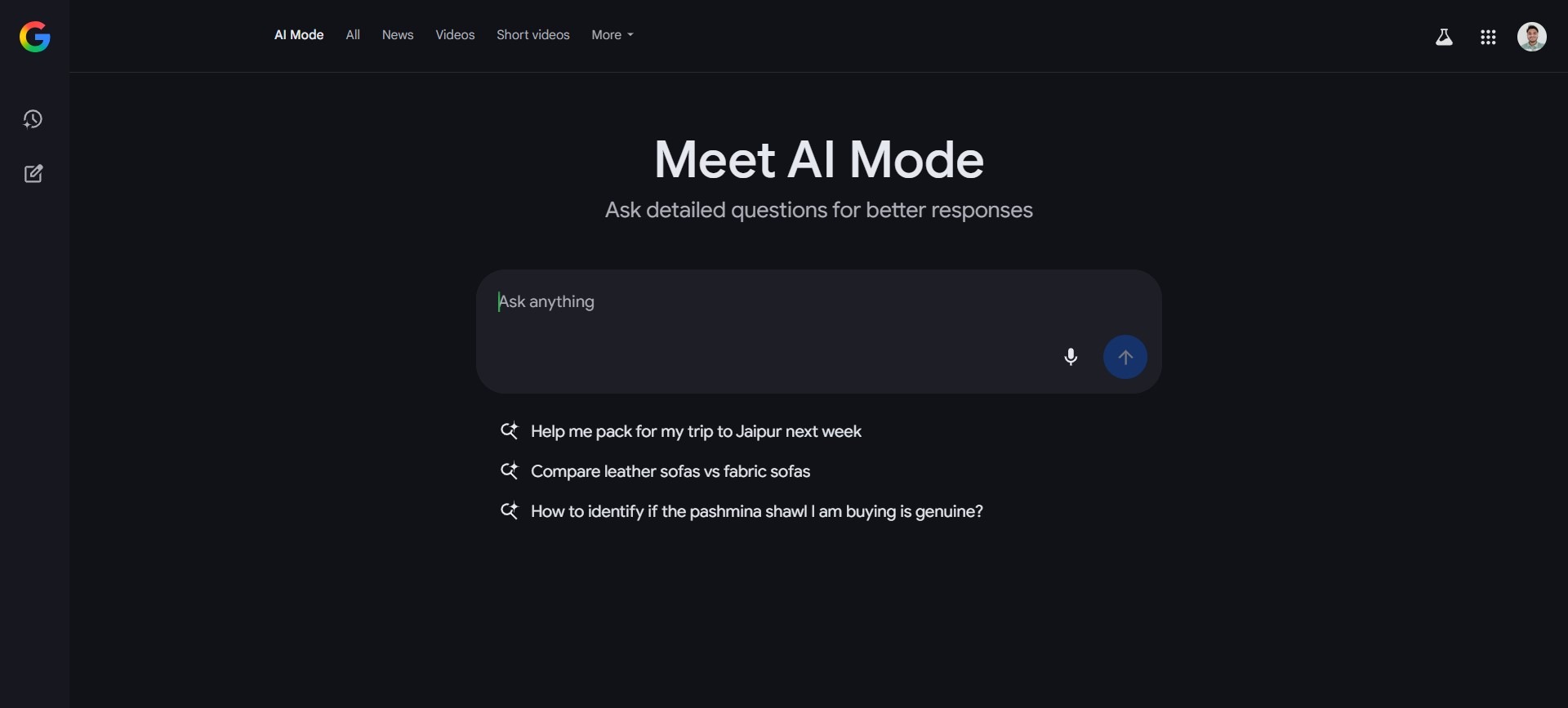
Table Of Contents
What Is Google AI Mode?
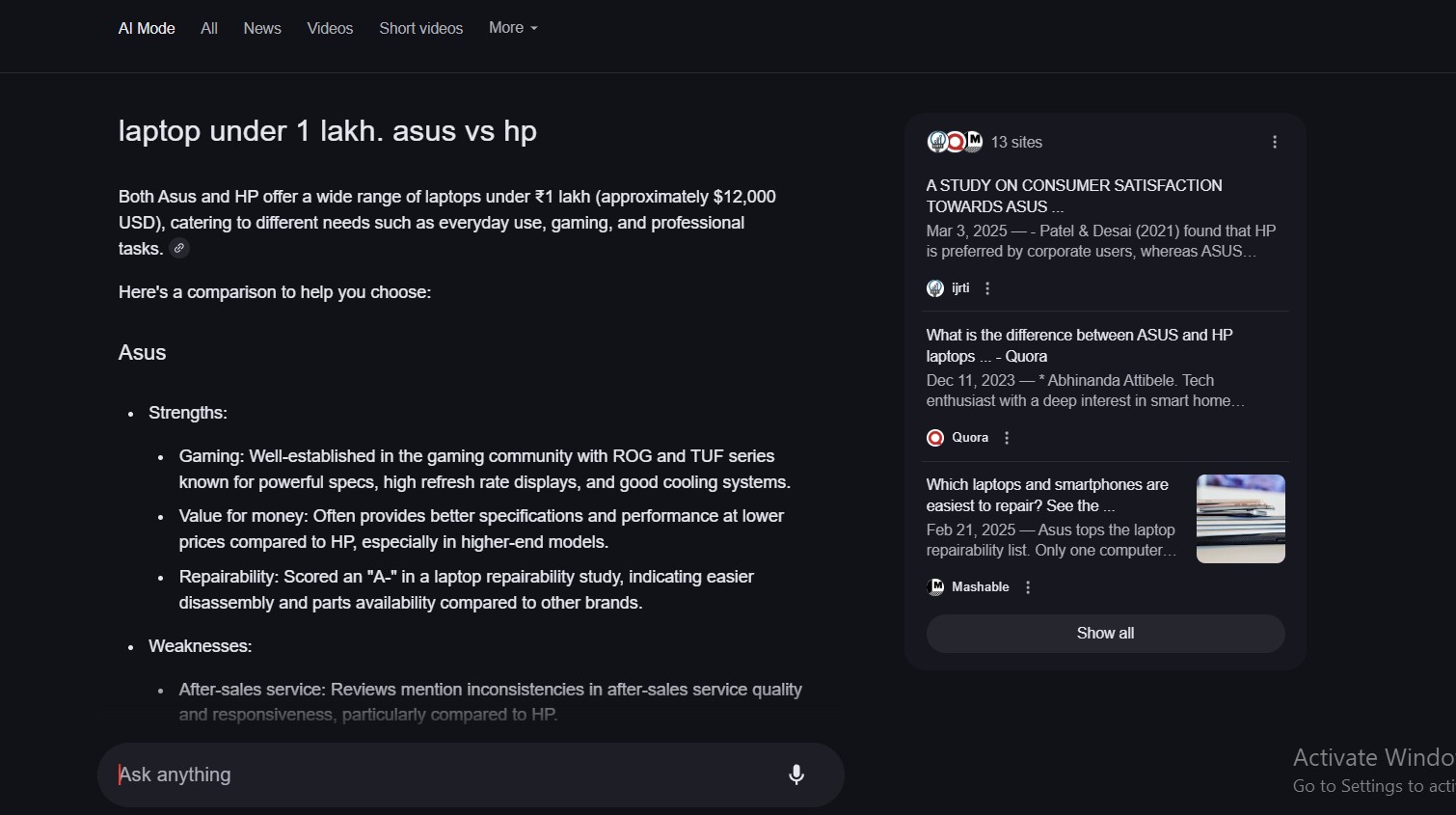
Google AI Mode is the company’s most powerful AI-driven search experience, built directly into Google Search. Unlike AI Overviews – which generate a brief summary at the top of a standard results page – AI Mode is a full, dedicated interface. It operates in a separate tab, accepts queries in natural language (or voice or image), and responds conversationally, with the ability to follow up, ask clarifying questions, and refine responses through dialogue.
Think of it as the intersection of a search engine and a highly knowledgeable research assistant. It is powered by Google’s Gemini family of models and uses a technique called query fan-out – splitting a complex question into multiple sub-queries that are run simultaneously across the web, then synthesized into a single, coherent answer.
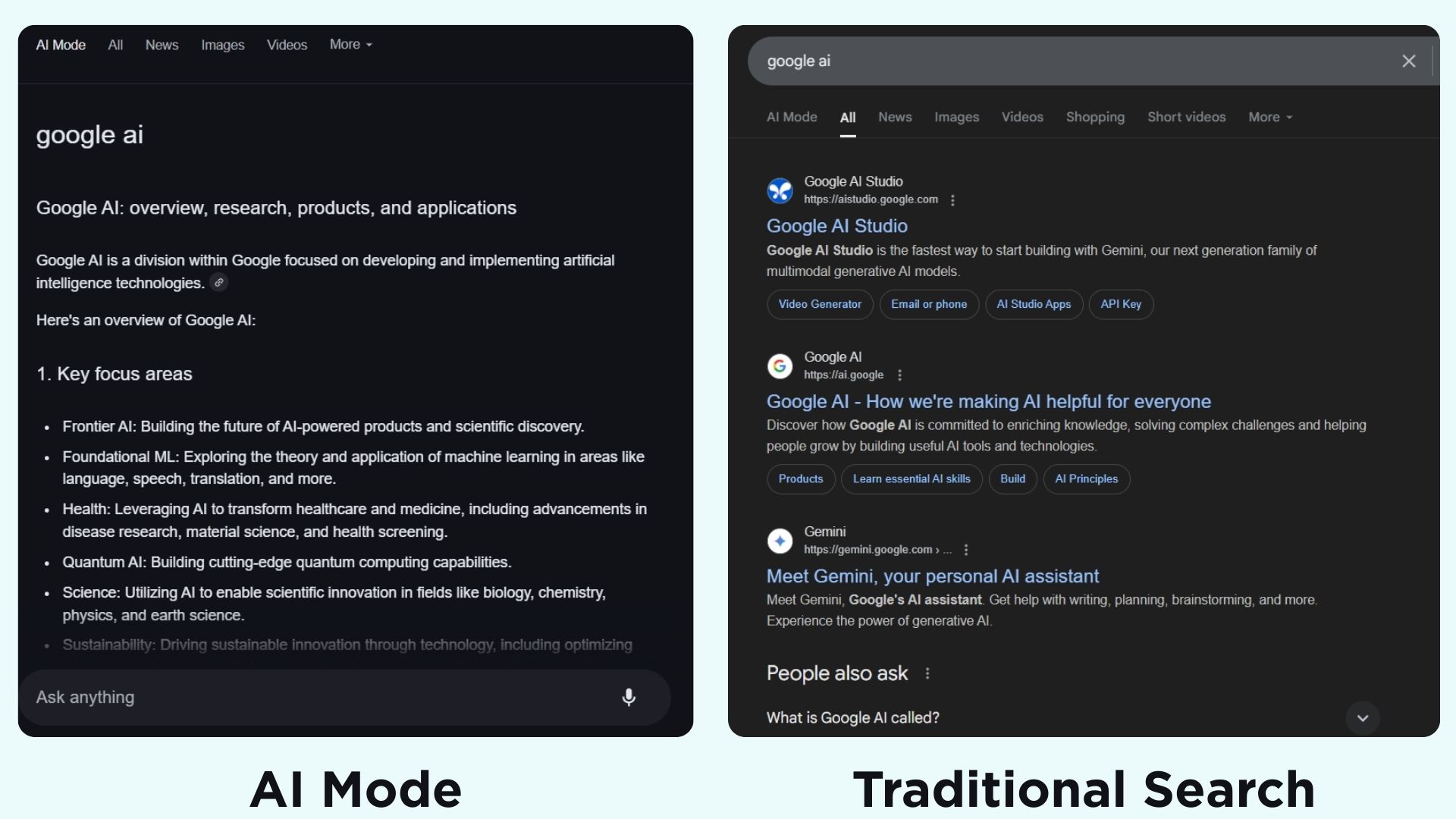
In the simplest terms: traditional search asks “where can I find this?” and gives you a map. Google AI Mode asks “what do you actually need?” and tries to give you the answer.
A Brief History: From SGE to AI Mode
Google’s AI search journey has moved quickly. Here are the key milestones:
- May 2023: Google launches Search Generative Experience (SGE) in Search Labs as a closed experiment.
- May 2024: AI Overviews officially launches to the public, bringing generative AI summaries to standard Search results pages.
- March 2025: Google announces AI Mode on March 5, beginning limited testing through Search Labs.
- May 2025: AI Mode rolls out to all U.S. users, no Labs opt-in required. Powered by a custom version of Gemini 2.5.
- August 2025: Google begins a broader global rollout of AI Mode, expanding to more countries and increasing citations in responses.
- November 2025: Gemini 3.0 and the creative tool Nano Banana are integrated into AI Mode, adding visual generation capabilities.
- January 2026: Google enables direct transitions from an AI Overview into a full AI Mode conversation, improving flow on mobile.
- March 2026: Gemini 3 Pro is available in AI Mode, offering advanced reasoning for subscribers, with the Fast model available freely.
How Google AI Mode Works Under the Hood
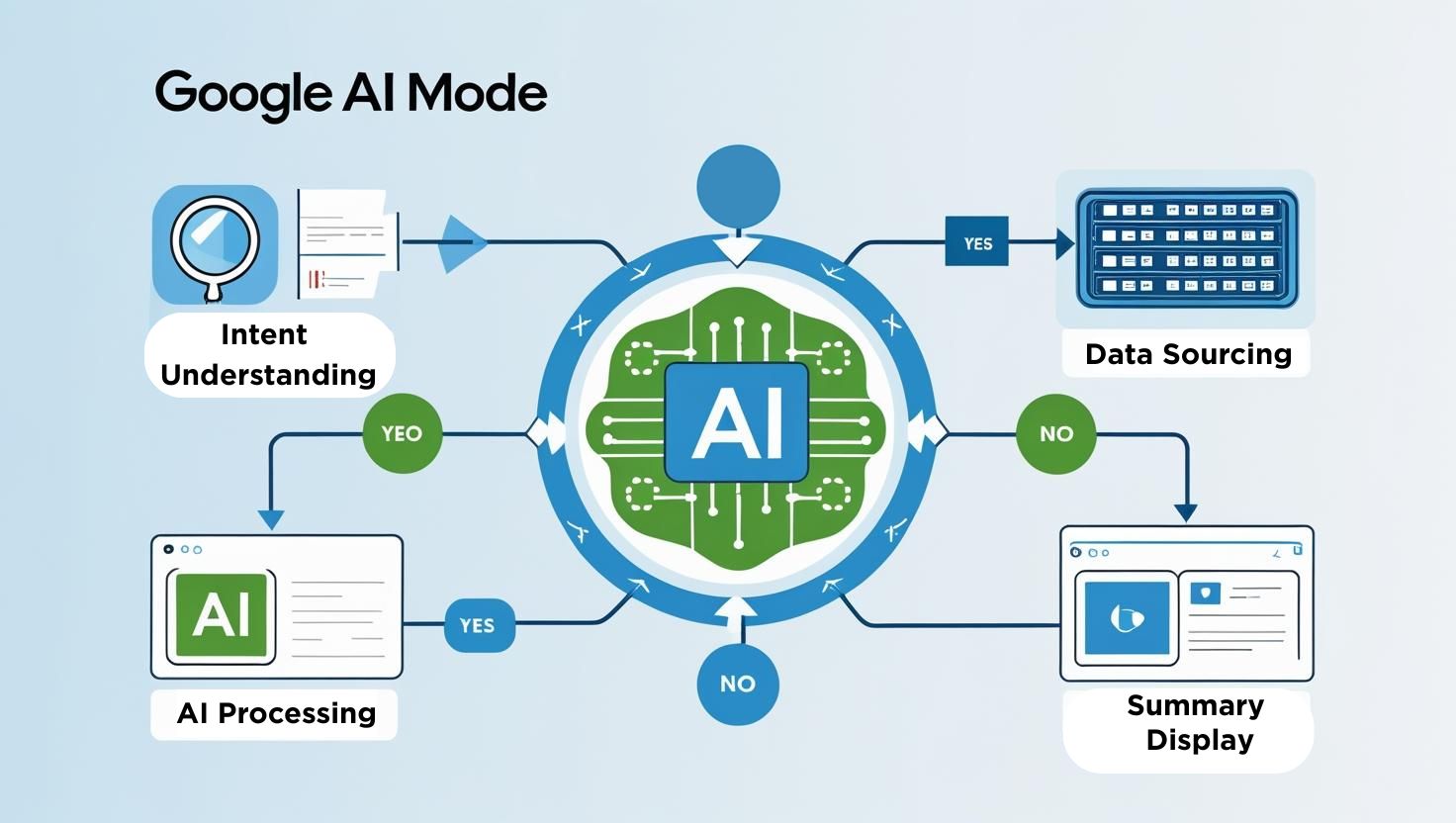
Google AI Mode uses two foundational techniques that distinguish it from simple chatbots or traditional search: query fan-out and Retrieval-Augmented Generation (RAG).
Query Fan-Out
When you type a question – say, “best ways to visit Japan on a budget in spring” – AI Mode does not run a single search. It identifies all the dimensions of that query (budget travel tips, best spring destinations in Japan, average costs, visa requirements, flight timing) and runs multiple targeted searches simultaneously. It then reads all those results, identifies the most relevant and reliable content, and synthesizes them into a single answer. This parallel search approach gives AI Mode access to far more relevant information than any single keyword query could surface.
Retrieval-Augmented Generation (RAG)
RAG is what keeps AI Mode grounded in facts rather than hallucination, which is why platforms handling complex workflows often rely on robust QA support from a regression testing company in India to ensure consistent and reliable output. Instead of relying purely on the model’s training data (which would quickly become outdated), AI Mode retrieves fresh, real-world web content, attaches it as context, and instructs the Gemini model to generate its response based on that retrieved information. This significantly improves accuracy, timeliness, and factual reliability – and it is why AI Mode can include clickable source citations in its answers.
Gemini Models Behind the Scenes
As of early 2026, AI Mode runs on two model tiers. The Fast model handles the majority of queries efficiently and is available to all signed-in users at no cost. Gemini 3 Pro is available for more demanding queries – complex reasoning, coding, in-depth research – and is accessible to Google AI Plus, Pro, and Ultra subscribers, as well as through daily usage limits for free users. On mobile and desktop, users can select their preferred model from a drop-down menu within the query bar.
Key Features of Google AI Mode
Google AI Mode is not a single feature – it is a suite of capabilities that together redefine the search experience. Here is a detailed breakdown of what it can do.
1. Conversational, Multi-Turn Search
Unlike a standard search engine where each query is independent, AI Mode supports a full back-and-forth dialogue. You can ask a follow-up question and the system remembers the context of your previous messages. If you searched for “best noise-cancelling headphones under $200” and then ask “which of those work well for exercise?”, it understands you are narrowing the same query, not starting fresh. This conversational flow makes complex research sessions far more natural and efficient.
2. True Multimodality – Text, Voice, and Images
AI Mode accepts input in multiple formats. Type a question, speak it aloud, or take a photo. Powered by Project Astra’s camera technology, the Live feature allows users to point their smartphone camera at any object – a plant, a math problem, a product label, a restaurant menu in a foreign language – and ask questions about it in real time. This camera integration is particularly powerful for on-the-go queries where typing is inconvenient.
3. Deep Search – Expert-Level Research Reports
For users who need more than a quick answer, AI Mode offers Deep Search. This mode takes the query fan-out technique to an extreme: it can issue hundreds of searches, reason across many disparate sources, and produce a comprehensive, fully-cited research report in minutes. What might take a human researcher several hours to compile manually, Deep Search can deliver in a fraction of the time. It is the closest thing Google has built to an automated research analyst.
4. Agentic Task Automation
AI Mode is not limited to answering questions – it can take action. Agentic features allow it to perform multi-step tasks: searching for available event tickets, comparing options, pre-filling booking forms, and assisting with checkout via Google Pay when a user-defined price condition is met. The system also supports automations like ongoing price tracking, event monitoring, and ticket alerts. The user always remains in control and must confirm before any transaction is completed.
5. AI-Powered Shopping
Shopping queries have been transformed by AI Mode. Users can describe what they want in natural language – colour, budget, style, functional requirements – and the system draws on Gemini’s reasoning plus Google’s Shopping Graph (which covers billions of products) to surface relevant options. Virtual try-on is also available for certain clothing and accessories, allowing users to upload an image of themselves to visualise how an item might look. Agentic checkout, when a target price is hit, can be handled automatically.
6. Personal Intelligence
With user permission, AI Mode can connect to other Google apps – Gmail, Google Calendar, Maps, and more – to deliver highly personalised recommendations. If you have a flight booked in Gmail, it might suggest nearby hotels. If your calendar shows a meeting in an unfamiliar city, it might proactively surface restaurant options or transit routes. This contextual awareness is what Google means when it says AI Mode offers “Personal Intelligence” – it uses your data to make answers uniquely relevant to your life.
7. Generative Layouts and Visual Tools
Gemini 3 Pro in AI Mode can generate interactive visual tools on the fly – calculators, simulations, interactive diagrams – to help users understand complex topics. Nano Banana Pro, integrated in late 2025, enables the creation of rich visual content such as infographics, stylised posters, and illustrated summaries. For data-heavy questions in domains like finance or sports, AI Mode can also auto-generate interactive charts from the underlying data.
8. Integrated Maps, Local, and Travel Planning
AI Mode directly integrates Google Maps and local business data into responses. A query about restaurants near a venue will surface map locations, hours, and reviews inline. Travel planning queries produce itineraries with route suggestions, attraction recommendations, and even draft booking checklists. The system can suggest optimal routes, create multi-day travel plans, and recommend hotels or activities based on user preferences expressed earlier in the conversation.
How to Set Up and Access Google AI Mode
Getting started with Google AI Mode is straightforward. Here is a step-by-step guide for accessing both the standard experience and the advanced Labs features.
Basic Setup – Free Access
- Sign in to your Google Account. AI Mode requires a personal Google Account. It is not currently available for supervised children’s accounts, and Workspace (business/school) availability depends on your administrator’s settings.
- Go to google.com or open the Google app on Android or iOS. AI Mode is accessible via both the desktop browser and the mobile application.
- Look for the AI Mode button or tab. On the Google homepage, an AI Mode button appears within the search bar, alongside the voice and image search icons. On search results pages, it appears as a dedicated tab at the top of the page, and at the bottom of AI Overview boxes.
- Enable Search History for the best experience. Go to your Google Account settings and ensure that Web & App Activity is turned on. Without this, AI Mode cannot remember context from previous searches, which limits its conversational capabilities. Your privacy settings remain under your full control.
- Type, speak, or upload. You can now ask questions in natural language, use voice input, or upload an image to search.
Accessing Advanced Features via Search Labs
For users who want early access to cutting-edge features before they roll out widely, Google offers the Search Labs experiment programme. To opt in:
- Visit labs.google.com/search while signed into your Google Account.
- Find the “AI Mode” experiment card and toggle it on.
- Return to Google Search – you will now have access to experimental AI Mode features, including early builds of Deep Search, advanced agentic tools, and new interface experiments, before they reach general availability.
Upgrading to Gemini 3 Pro in AI Mode
Gemini 3 Pro in AI Mode is available to users on Google AI Plus, Pro, or Ultra subscription plans. Free users can access Pro for a limited number of daily queries before falling back to the Fast model. To select a model, click the model drop-down menu in the AI Mode query bar (on desktop, this appears within the “Ask anything” bar). For complex reasoning tasks, Pro is noticeably more capable. For everyday searches, Fast handles the vast majority of queries efficiently.
Regional Availability
As of early 2026, AI Mode is available in English across the United States, United Kingdom, and India. Google expanded availability to over 180 countries by late 2025, though the full feature set, particularly Gemini 3 Pro access and advanced agentic tools, varies by region. Multilingual support is in active development and is expected to expand significantly through 2026.
Google AI Mode vs. AI Overviews: What Is the Difference?
A common source of confusion is the distinction between Google AI Mode and AI Overviews. They are related, but they serve meaningfully different purposes.
AI Overviews are the brief, AI-generated summaries that appear at the top of a standard Google Search results page. They are triggered automatically for certain queries – typically those involving complex, multi-step, or informational intent – and they sit above the traditional blue links. They are fast, concise, and passive: you see the summary and then the usual page.
Google AI Mode is the full, immersive experience. It opens in a dedicated interface (a separate tab), accepts complex and multi-part queries, handles follow-ups, supports voice and image input, and is designed for deep, ongoing research sessions. Where AI Overviews provide a “quick answer”, Google AI Mode enables “deep exploration.” They are complementary tools, not competitors – and since January 2026, users can jump directly from an AI Overview into a full AI Mode conversation with a single click.
Pros of Google AI Mode
Google AI Mode offers genuine, meaningful advantages for a wide range of users and use cases. Here are the most significant benefits.
- Speed and Synthesis
Instead of opening five different browser tabs and manually piecing together information, AI Mode delivers a structured, synthesised answer in seconds. For time-constrained research – travel planning, product comparisons, topic summaries – the time savings are substantial.
- Handles Complex, Multi-Part Questions
Traditional search engines work best with short keyword queries. AI Mode was built for complexity. You can ask “what are the tax implications of selling a rental property I have owned for six years, and what deductions might offset the gain?” and receive a meaningful, contextual response – not a page of links to sift through.
- Grounded in Real-Time Web Data
Unlike pure chatbots that rely on training data that may be outdated, AI Mode retrieves live web content for each query via RAG. This means its answers reflect current events, current prices, and current product availability – a major advantage over tools like a standalone LLM with a knowledge cutoff.
- Source Citations Build Trust
Every substantive claim in an AI Mode response is linked to the source where the information was found. Users can verify facts, explore further, and make informed decisions about source credibility. This transparency distinguishes AI Mode from black-box AI tools.
- Multimodal Flexibility
The ability to search by image, voice, or camera in real time dramatically expands how and when AI Mode can be used. Identifying a plant, translating a sign, inspecting a product in a store, or working through a math problem from a photo are all natural use cases.
- Personalisation at Scale
By connecting to Google’s broader ecosystem – Maps, Gmail, Calendar, Shopping – AI Mode can deliver recommendations and responses that are tailored to your specific context, not generic advice written for a broad audience.
- Deep Research Capability
The Deep Search feature compresses hours of manual research into minutes by issuing hundreds of automated sub-queries and producing a fully-cited expert-level report. For academics, journalists, analysts, and serious researchers, this is transformative.
- Continuously Improving
Google is updating AI Mode rapidly based on user feedback. The transition from Gemini 2.5 to Gemini 3 Pro in less than a year demonstrates the pace at which the experience is evolving. Early adopters benefit from being on the frontline of these improvements.
Limitations and Considerations
No technology is without trade-offs. Understanding where Google AI Mode currently falls short is essential for using it wisely.
- AI Errors and Hallucinations
As with any LLM-powered tool, AI Mode can make mistakes. It may misinterpret web content, miss important context, or present inaccurate information with apparent confidence. Google explicitly acknowledges this, recommending that users always verify important claims by clicking through to the cited sources and checking additional references.
- Risk of Reduced Critical Thinking
The convenience of receiving a synthesised answer can become a crutch. Users who rely entirely on AI Mode’s summaries without reading underlying sources may develop a surface-level understanding of complex topics. The tool is most valuable as a starting point for exploration, not the final word.
- Limited Language and Regional Support
As of early 2026, full AI Mode functionality is primarily available in English. Users in regions where the feature is limited, or those who search in other languages, will not have access to the same depth of experience. Google’s global multilingual rollout is ongoing but not yet complete.
- Privacy and Data Implications
AI Mode’s personalisation features require Google to access your search history and, optionally, your Gmail and Calendar data. Users who are privacy-conscious may be uncomfortable with this level of data access, even if it is opt-in. The trade-off between relevance and privacy is a real one.
- Zero-Click Search Concerns
Because AI Mode answers questions directly, users spend less time visiting the websites that originally produced the information. This has significant implications for publishers, content creators, and businesses that depend on organic web traffic – and it raises legitimate questions about the sustainability of the open web ecosystem that AI Mode itself depends on.
- Usability Gaps
Research from the Nielsen Norman Group found that while users broadly appreciated AI Mode, several usability issues emerged during testing: the interface design can be confusing for users unfamiliar with conversational AI, suggested follow-ups can sometimes mislead exploration rather than guide it, and the distinction between AI Mode and traditional search is not always obvious to first-time users.
- No Visibility in Search Console
From a publisher perspective, content cited in AI Mode responses currently does not appear as trackable impressions or clicks in Google Search Console. This creates a significant blind spot for site owners trying to understand how their content is being used – a limitation Google has indicated it intends to address.
- Daily Limits on Pro Access
Access to Gemini 3 Pro in AI Mode is gated by daily usage limits for free users. Once the limit is reached, users fall back to the Fast model. For heavy users or professionals who rely on Pro’s superior reasoning, a paid Google AI subscription becomes effectively necessary.
What Google AI Mode Means for SEO and Content Creators
The rise of Google AI Mode is one of the most significant disruptions to digital marketing and SEO since Google’s Panda and Penguin updates a decade ago. The fundamental dynamics of search visibility are changing.
AI Mode shifts the focus from exact-match keyword ranking to semantic depth. The system analyses the full context of a query and its subtopics – not just the surface-level keywords. Content that comprehensively covers a subject, answers follow-up questions, and demonstrates genuine expertise is favoured over thin, keyword-stuffed pages.
Backlinks, while still relevant for traditional ranking, become less decisive for inclusion in AI Mode citations. Google’s query fan-out algorithm selects sources based on content quality, topical structure, and expertise signals – which aligns with the EEAT framework (Experience, Expertise, Authoritativeness, Trust) that Google has been promoting for several years.
Practically, this means: write for people first, structure content clearly with strong headings and subheadings, answer the primary question early and thoroughly, use original research and first-hand expertise, and support arguments with data and citations. Multimedia content – images, videos, infographics – also performs better since AI Mode increasingly supports multimodal responses.
A new discipline is emerging around all of this: AI Search Optimisation (AISO), also called Generative Engine Optimisation (GEO). The goal is not just to rank in traditional search but to ensure your content is understood, trusted, and cited by AI systems when they generate answers. Structured data, clear entity definitions, and strong brand presence across third-party platforms all contribute to this.
The Future of Google AI Mode
Google has described AI Mode as “a glimpse of what’s to come” – a testing ground for Gemini’s frontier capabilities that will gradually graduate into the core Search experience. Based on current trajectories and announcements, several developments are on the near horizon.
- Expanded Multilingual Support
AI Mode’s English-first rollout is a limitation that Google is actively working to resolve. Full multilingual support across AI Mode’s core features – conversational search, Deep Search, and agentic tools – will dramatically expand the addressable user base globally.
- Deeper Agentic Automation
Agentic capabilities are still nascent. The vision is a version of AI Mode that can manage not just single transactions but entire workflows: planning a trip from query to confirmed booking, managing a research project across multiple sessions, or tracking ongoing tasks autonomously. Google’s Project Mariner and related agent work suggest this is a priority for 2026 and beyond.
- Tighter Integration with Google’s Ecosystem
The connection between AI Mode and apps like Docs, Sheets, Maps, and Drive is expected to deepen. A future in which AI Mode can read a document from Drive, cross-reference it with web research, and help you make a decision – entirely within the Google environment – is not far off.
- Improved Publisher Transparency
Google has signalled intent to improve how AI Mode citations are tracked and reported in Google Search Console. As publishers and creators push back against zero-click invisibility, better measurement tools will likely emerge to help content creators understand and optimise their AI-Mode presence.
- Ambient and Multimodal Experiences
Project Astra’s real-time camera capabilities are still being refined. Future versions of AI Mode may support persistent ambient awareness – a mode where your device continuously understands your visual environment and proactively surfaces relevant information, directions, or recommendations without requiring you to ask an explicit question.
- AI Mode as the Default
Perhaps most significantly, Google has stated that features proven in AI Mode will be graduated into the main Search experience over time. AI Overviews itself began this way. It is plausible that within a few years, what we today call “AI Mode” will simply be what Google Search is – an AI-first, conversational, agentic information engine.
Conclusion
Google AI Mode is not a feature – it is a fundamental rethinking of what a search engine can be. It brings together the breadth of Google’s search index, the reasoning power of the Gemini model family, and a conversational interface to create something genuinely new: a tool that does not just point you toward information but helps you understand and act on it.
For everyday users, it offers a faster, smarter, more intuitive way to get answers. For professionals and researchers, Deep Search and Gemini 3 Pro unlock capabilities that were previously impossible without a dedicated research team. For developers and marketers, it signals that the rules of digital visibility have fundamentally changed, and that adapting to an AI-first search world is no longer optional.
There are legitimate questions to wrestle with: about accuracy, about privacy, about the economic impact on publishers, and about what it means for human curiosity and critical thinking when the internet’s answers are increasingly pre-digested. These concerns deserve serious attention.
But the direction is clear. Google AI Mode is live, it is improving rapidly, and it is reshaping one of the most used tools in the world. The earlier you understand it – how it works, how to use it well, and how to be visible within it – the better positioned you will be as this transformation unfolds.