
Table Of Contents
Introduction
Every website needs a way for visitors to get in touch with the owner or business. Whether it’s for customer inquiries, service requests, or feedback, a contact form is essential for maintaining communication. For WordPress users, Contact Form 7 has been one of the most popular plugins for over a decade. But is it truly worth the hype?
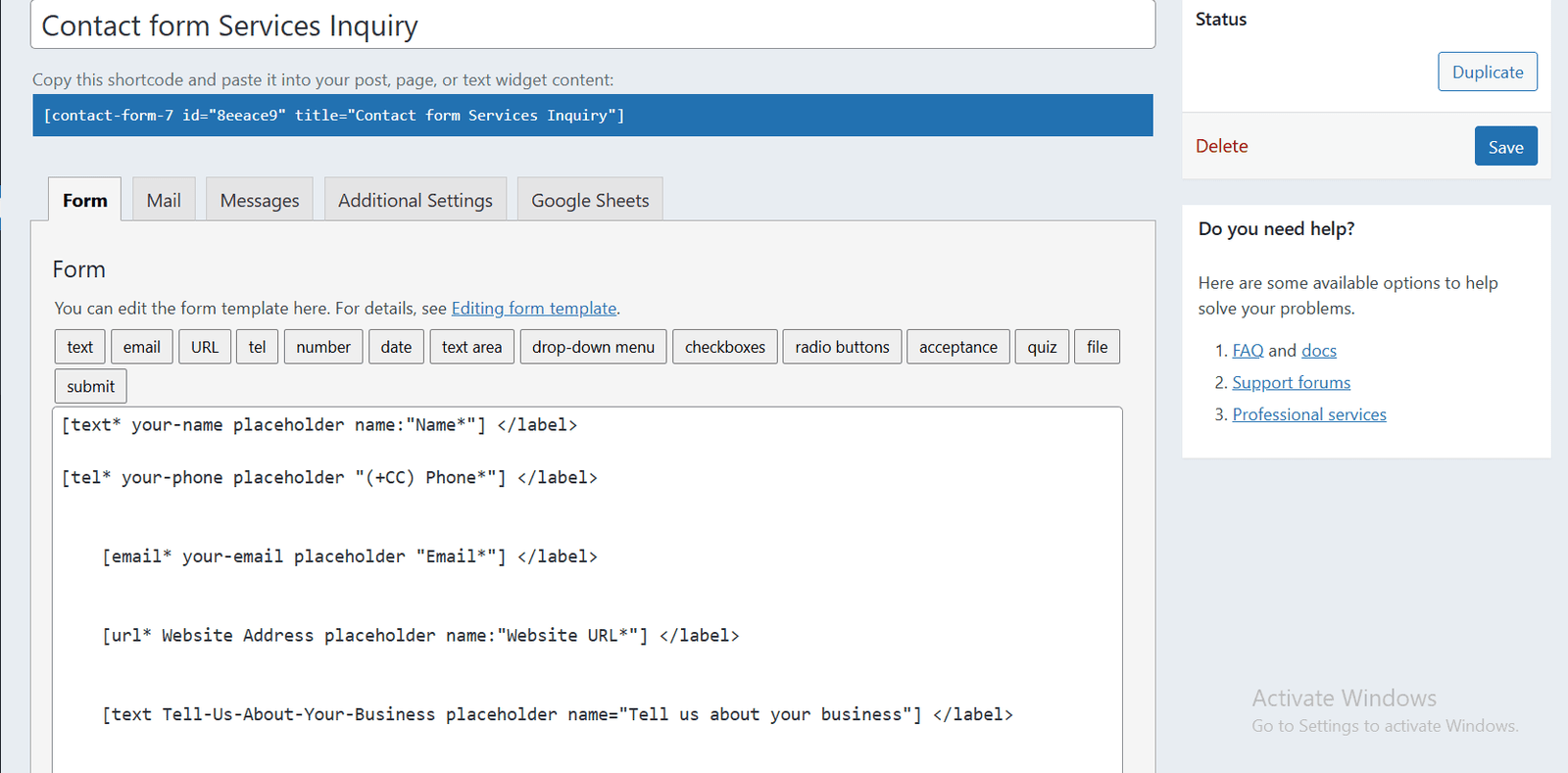
Imagine you’re running a small business online. You want to make it easy for clients to reach you without overwhelming your inbox or causing technical headaches. A reliable form plugin could save you time, reduce errors, and improve user experience. However, with so many form plugins available, it’s natural to ask: does Contact Form 7 deliver what it promises, or are there better alternatives?
This guide will break down the features, benefits, limitations, and real-world performance of Contact Form 7. By the end, you’ll have a clear understanding of whether it fits your website’s needs.
What is Contact Form 7?
Contact Form 7 is a free WordPress plugin designed to create and manage multiple contact forms. It allows users to customize forms with a simple markup system and manage submissions efficiently. The plugin is widely recognized for its flexibility and lightweight design.
Key Features
- Multiple Form Support: Create and manage several forms for different pages or purposes.
- Customizable Fields: Add text fields, checkboxes, radio buttons, file uploads, and more.
- Spam Protection: Integrated CAPTCHA and Akismet support to reduce spam submissions.
- Email Notifications: Send form submissions to multiple email addresses.
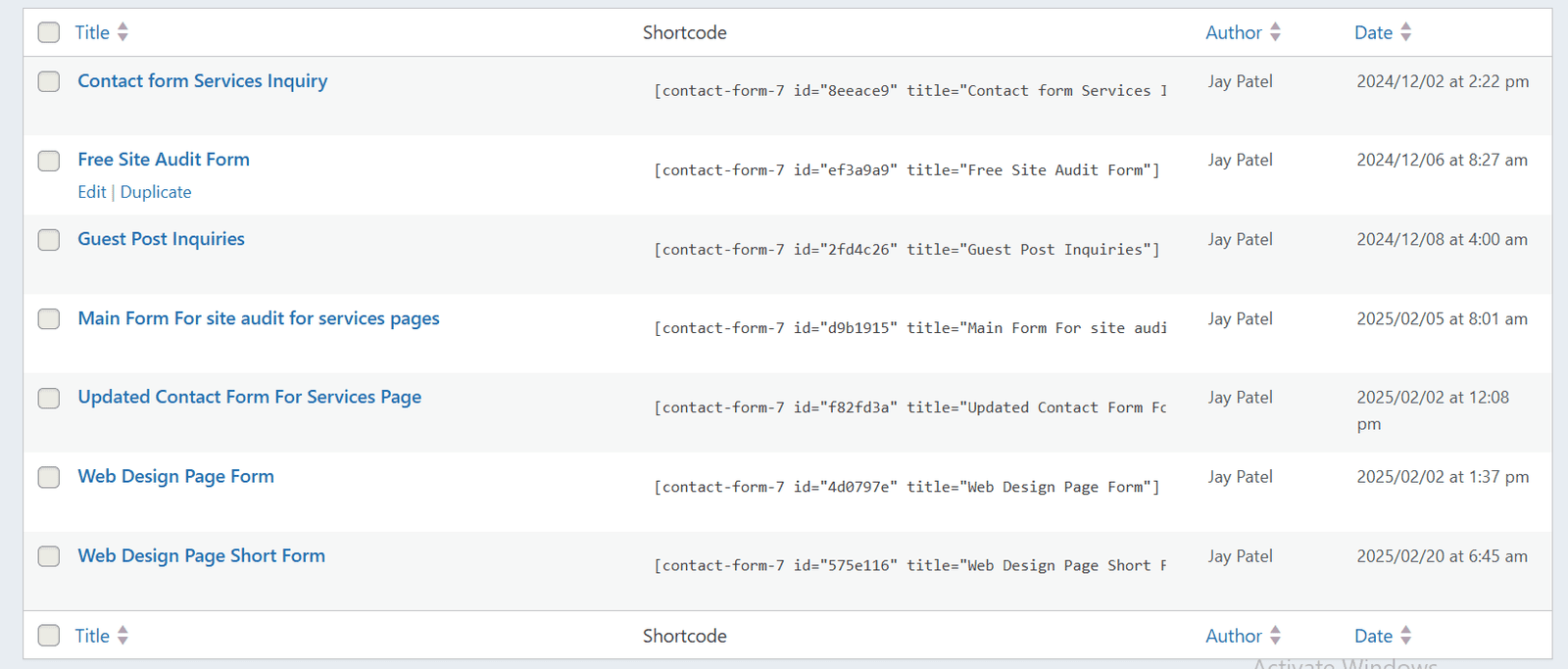
- Shortcode System: Easy embedding of forms anywhere on your site.
Contact Form 7 is widely used, with millions of active installations, largely because it’s free and integrates seamlessly with WordPress.
Benefits of Using Contact Form 7
While it’s free, Contact Form 7 offers a range of advantages:
1. Cost-Effective
For businesses or personal websites on a tight budget, Contact Form 7 is free. There’s no premium version, which means you can access all essential features without paying a cent. Additional functionality can be added through third-party add-ons.
2. Lightweight and Fast
Unlike some form plugins that can slow down your site, Contact Form 7 is lightweight. It focuses on essential features, ensuring faster load times and minimal impact on website performance.
3. Flexibility and Customization
The plugin supports advanced form customization with simple HTML and shortcodes. This flexibility allows web developers to create forms tailored to specific needs, from simple contact forms to complex multi-step forms.
4. Large Community and Support
Because Contact Form 7 has been around for years, it has a large community of developers and users. You can find tutorials, forums, and documentation for troubleshooting almost any issue.
5. Integration with Other Tools
It works with popular WordPress plugins and services like:
- Akismet for spam filtering
- Flamingo for database storage of submissions
- Third-party add-ons for payment gateways and email marketing
Limitations of Contact Form 7
No plugin is perfect. Here are some of the drawbacks to consider:
1. User Experience
Contact Form 7 is not the most beginner-friendly plugin. Customizing forms requires understanding basic HTML and shortcodes. For non-technical users, this can be a steep learning curve.
2. No Built-In Analytics
Unlike some premium plugins, Contact Form 7 does not track form submissions beyond email notifications. You’ll need third-party add-ons like Flamingo or Google Analytics to monitor form activity.
3. Limited Advanced Features
Out-of-the-box, Contact Form 7 lacks advanced features like conditional logic, multi-step forms, or payment integrations. Users seeking complex functionality may need additional plugins or consider alternatives.
4. Support Limitations
Support is mostly community-driven. There’s no dedicated professional support unless you hire a developer. This can be a challenge if you encounter critical issues.
Real-World Use Cases
To understand its practical value, let’s look at how Contact Form 7 works in real scenarios:
Small Business Websites
A local bakery can use Contact Form 7 to manage custom cake orders. Customers fill in their name, email, cake type, and delivery date. Submissions go directly to the bakery’s email, ensuring no order is missed.
Service Providers
A freelance web designer can use the plugin to gather project briefs. By adding custom fields for budget, timeline, and website requirements, the designer receives structured data that simplifies planning.
Event Registration
Nonprofit organizations can create simple event registration forms without investing in premium plugins. Email notifications allow organizers to track participants easily.
Integration Example
Some users integrate Contact Form 7 with Mailchimp using an add-on. This allows automatic subscription of users to newsletters when they submit a form, streamlining marketing efforts.
Comparison with Other Popular Form Plugins
| Feature | Contact Form 7 | WPForms | Gravity Forms |
| Price | Free | Paid & Free | Paid |
| Beginner-Friendly | Low | High | Medium |
| Multi-Step Forms | No | Yes | Yes |
| Conditional Logic | No | Yes | Yes |
| Spam Protection | Basic | Yes | Yes |
| Third-Party Add-Ons | Many | Many | Many |
Insight: Contact Form 7 is ideal for users who need a free, lightweight, and customizable solution. For beginners or those needing advanced features, WPForms or Gravity Forms may be more suitable.
Tips for Using Contact Form 7 Effectively
- Use Spam Protection: Activate CAPTCHA and Akismet to prevent spam.
- Organize Forms: Name your forms clearly to avoid confusion.
- Backup Submissions: Use Flamingo to store messages in the database.
- Customize Notifications: Ensure email notifications are clear and contain all necessary information.
- Optimize for Mobile: Test forms on multiple devices for responsiveness.
- Integrate with Other Tools: Leverage add-ons for email marketing, CRM, or analytics.
These practices ensure Contact Form 7 runs smoothly while maximizing its value for your website.
Conclusion
Contact Form 7 remains a solid option for WordPress users who need a free, flexible, and reliable contact form solution. Its lightweight design, extensive community support, and customization options make it a practical choice for many websites. However, it may not be the best fit for beginners or those requiring advanced features like multi-step forms, conditional logic, or analytics.
In short, if you’re comfortable with basic HTML and don’t mind a slightly technical setup, Contact Form 7 is worth considering. For those seeking a more user-friendly or feature-rich solution, exploring premium alternatives might be a better investment.
Ultimately, the right choice depends on your website’s goals, technical skill level, and long-term growth plans.
FAQs About Contact Form 7
What is Contact Form 7 used for?
Contact Form 7 is used to create and manage contact forms on WordPress websites, allowing visitors to submit inquiries, feedback, or requests directly to your email.
Is Contact Form 7 free?
Yes, Contact Form 7 is completely free to use, with optional third-party add-ons available for advanced features like payment integration or analytics.
Can Contact Form 7 prevent spam?
Yes, it includes basic spam protection with CAPTCHA and Akismet integration to block unwanted submissions.
Does Contact Form 7 support multi-step forms?
No, Contact Form 7 does not have built-in support for multi-step forms; you need third-party plugins for this feature.
How do I save submissions in Contact Form 7?
You can save submissions using the Flamingo plugin, which stores all form entries in your WordPress database for easy access.
Is Contact Form 7 beginner-friendly?
It has a learning curve for beginners since customization requires basic HTML and shortcode knowledge, but extensive tutorials are available online.
Can Contact Form 7 integrate with email marketing tools?
Yes, using third-party add-ons, it can integrate with services like Mailchimp, enabling automatic subscription from form submissions.
How do I style Contact Form 7 forms?
Forms can be styled using custom CSS within your WordPress theme or by adding inline CSS directly in the form markup for design customization.
About XSquareSEO
At XSquareSEO, we provide comprehensive SEO solutions tailored for businesses of all sizes. Our services include:
- Website Optimization
- Content Writing
- Link Building
- On-Page SEO
- Technical SEO
- E-commerce SEO
- Shopify SEO
We are committed to helping your business grow online by improving visibility, driving traffic, and increasing conversions.