
I’m lazy. I hate manual research. Internal linking drives me absolutely crazy.
So I spent 7 days building an automated content pipeline that produces fully researched, internally linked, SEO-optimised articles and publishes them directly to WordPress — automatically — at ₹50 per article.
250 articles later, here’s exactly what I built, what it costs, and what I learned.

Table Of Contents
Why I Built This
Running an SEO agency means producing a lot of content. For clients. For my own site. For every niche we target.
Doing it manually meant:
- Hours of keyword research and competitor analysis
- Writing 800–1,500 word articles from scratch
- Manually adding internal links to every post — my most hated task
- Uploading to WordPress, adding images, formatting everything
- Repeat. Forever.
I needed a way to produce quality content at scale without hiring a full content team or spending my evenings writing articles.
The answer was building my own automated content pipeline from scratch.
How It Works — The Full Process
The entire pipeline runs from a single input form. I enter 5 things:
- Target keyword
- Meta title
- Meta description
- Article category name
- Category ID
That’s it.
I can add 1 keyword or 50 keywords at once. The pipeline processes them one by one automatically — researching, writing, linking, imaging, and publishing each article in sequence.
Add 50 articles in the evening. Close your laptop. Sleep. Wake up to 50 published articles and an email confirmation.
No babysitting. No checking progress. Nothing.
Here’s what happens in between:
Automated Research
Before a single word is written, the pipeline runs a full automated research pass on the keyword — analysing what’s currently ranking on Google, pulling fresh data and statistics from across the web, and studying exactly what the top competitor pages contain.
The result is a complete research brief, built automatically, in seconds. No manual competitor analysis. No tab-switching. No notes.
AI Writing
With the research complete, the AI writes the full article based on a detailed prompt I built and refined over multiple iterations. The prompt covers everything — tone, style, word targets, heading structure, FAQ format, and specific instructions on how to use the research data to produce something better than what’s currently ranking.
Every article comes out with:
- 800+ words
- Structured H2 and H3 headings
- 5 FAQs with 20–25 word answers each
- A distinct angle that differentiates it from the top 10 results
Automated Internal Linking
This was the hardest part to build — and the most valuable.
The pipeline automatically scans the existing site, identifies 10–14 relevant pages, selects appropriate anchor text, and inserts internal links naturally throughout the article.
No manual internal linking. On any article. Ever.
But here’s the part most people miss — internal linking only works if your link database stays current. Every time you publish a new page or post, that URL needs to be available for future articles to link to.
So I built a separate workflow that runs automatically every time anything is published on the site. It captures the title, meta description, and URL and saves it directly to a Google Sheet.
The internal linking database updates itself. Every new article published becomes immediately available as an internal link target for the next article — with zero manual input.
This is the part that makes it truly 100% automated, not just mostly automated.
HTML Infographics
The pipeline generates 3–4 HTML-based infographics per article automatically.
HTML — not image files. This matters for SEO because HTML infographics load faster, are fully readable by Google, and don’t require alt text or additional image optimisation. Most people use image-based infographics. HTML performs better.
Featured Image
A custom featured image is generated automatically for every article based on the topic and keyword. No stock photos. No Canva. No manual creation. Cost: $0.08 per image.
WordPress Auto-Publish
The completed article — with featured image, HTML infographics, internal links, headings, meta title, meta description, and FAQs — is published directly to WordPress in the correct category automatically.
No copy-pasting. No manual uploading. No formatting.
Google Sheets Logging
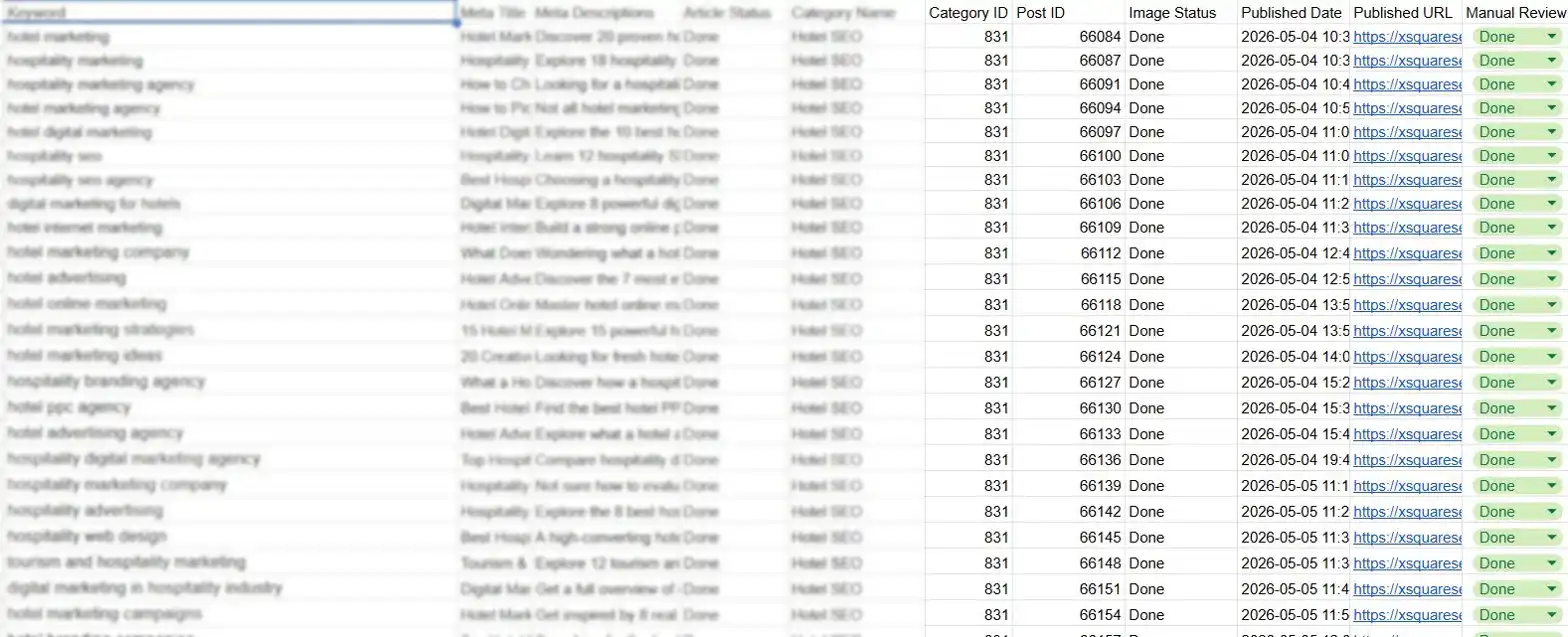
Every time an article is published, the sheet updates automatically with:
- Article status — Done
- Post ID
- Image status — Done
- Published date
- Published URL
One row per article. Full visibility into every piece of content produced — no manual updating, no chasing status.
The Numbers
| Metric | Result |
|---|---|
| Time to build | 7 days |
| Articles published | 250 |
| Time per article (input to published) | 6–7 minutes |
| Cost per article | ₹50–60 |
| Internal links per article | 10–14 |
| FAQs per article | 5 |
| Infographics per article | 3–4 (HTML) |
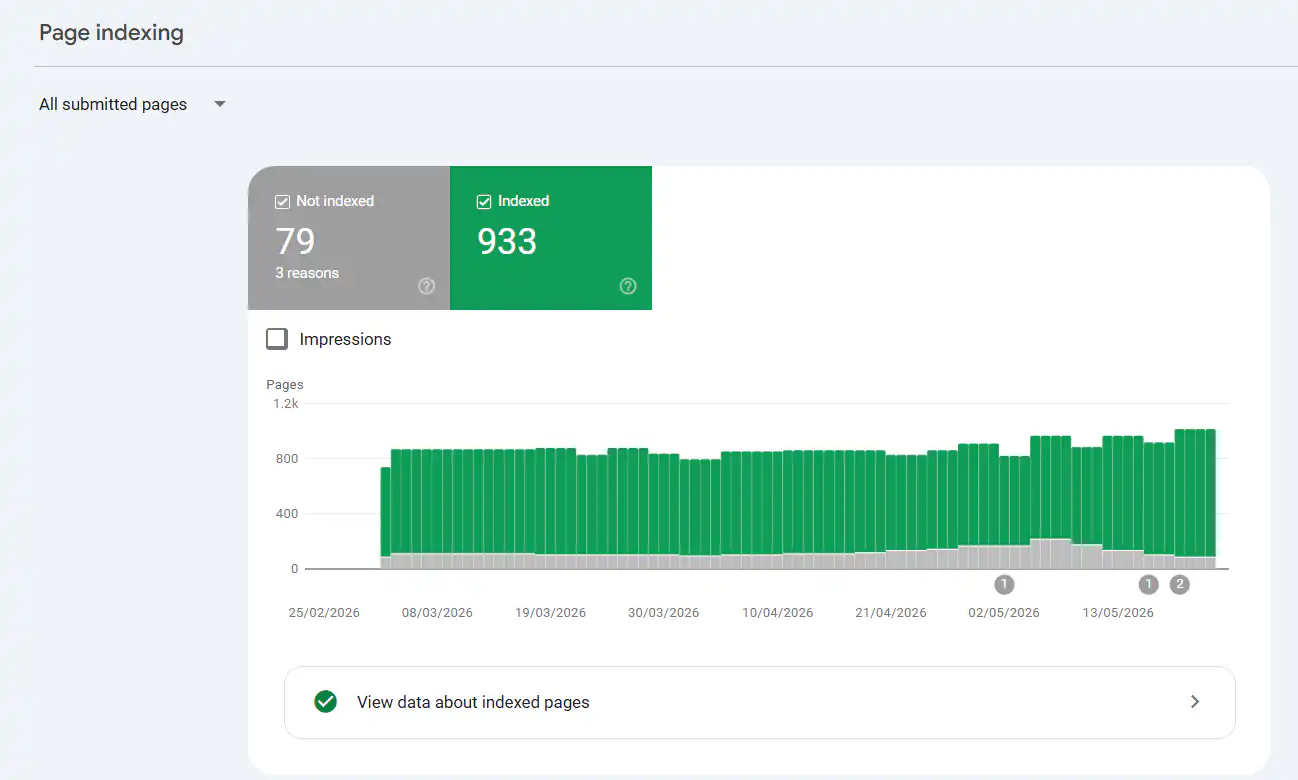
| Indexing rate | 89%+ within 36 hours |
The indexing stat surprises people most. 89% of articles indexed by Google within 36 hours — automatically, without any manual submission.
What It Actually Costs
| Cost | Amount |
|---|---|
| VPS hosting | ₹1,500/month |
| Automated research tools | Covered within ₹50/article |
| AI writing | ~₹45–55 per article |
| Featured image | ~₹7 per image ($0.08) |
| Total per article | ₹50–60 |
For context — a single freelance article in India costs ₹1,500–₹3,000 minimum. A content agency charges ₹3,000–₹8,000 per article. My pipeline produces a fully researched, internally linked, published article for ₹50 in 6 minutes.
The ₹27,000 Testing Phase
Before finalising the pipeline I invested ₹27,000 in pure quality testing. This wasn’t running costs — it was the experimentation phase. Testing different research approaches, rewriting the AI prompt dozens of times, breaking the internal linking logic and fixing it, getting the WordPress publishing reliable.
The ₹27,000 bought me a production-ready pipeline. Every article after that costs ₹50.
What Broke During the Build
Nothing about this was smooth. Two things caused the most pain:
1. Getting the AI prompt right
The first version produced generic, repetitive content. Same intro structure every time. Shallow FAQs. Predictable headings. It took many iterations to get it producing content with a distinct tone, genuine depth, and structure that actually beat what was ranking.
The prompt is now very specific — tone, style, word count, heading instructions, FAQ format, research usage instructions. Everything defined explicitly. This is where most of the 7 days went.
2. Internal linking automation
Getting the pipeline to scan existing content, identify relevance, select anchor text, and insert links naturally without breaking article formatting was genuinely difficult. It took the most trial and error of anything in the build.
But once it worked it became the most valuable feature. Internal linking is one of the highest-impact and most neglected SEO tasks. Now it happens on every single article automatically.
What I Would Do Differently
- Spend 2 full days on the AI prompt before building anything else. Content quality depends entirely on it. I moved too fast.
- Set up the logging sheet before publishing article one. Tracking was an afterthought. Build the reporting first.
- Test 10 articles thoroughly before going to volume. I scaled too quickly. Catching prompt issues early would have saved testing costs.
The Honest Reality
This pipeline doesn’t replace SEO strategy. It doesn’t choose the right keywords. It doesn’t build backlinks. It doesn’t think about search intent or commercial value.
That’s still a human job.
What it does is remove every manual content production task — research, writing, linking, imaging, publishing, logging — and compress it into 6 minutes at ₹50 per article.
For an SEO agency trying to scale content production without scaling headcount, that changes everything.
Written by Jay — Founder of XSquareSEO, an SEO agency specializing in niche-specific SEO for businesses across globe. I started my SEO journey in September 2023. Built this pipeline in April 2026.
Curious about our SEO services? Visit XSquareSEO